Download Apps like Google Text editor, Skype, Dropbox, Audacity, Picassa, Devolver, Google Earth, Google Apps and then learn how to use them in the classrroom.
Download your choice of these Free software packages here
Learn how to use these Moodle courses in the classroom here
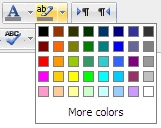 How to use the features in the Moodle 2.4 Text editor
 Setting up profile or home pages for all pupils and staff so that you can add our own photos and text, edit your description, upload a user photo and have your own blog pages
 Google Apps for Education provides the teachers with a multitude of Google services to use in schools and classrooms.
 An introductory user guide for students, educators, and anyone else who would like to learn to use Google Earth for education or fun
 DVolver Movie Maker is a creativity application that can be used in the classroom. It is available for the web, mobile and most recently the iPad
 How to use Picasa in the classroom using a sandbox project
 how to use Audacity for teachers and students to record their voice, listen to themselves read and other similar activities
 A guide to using dropbox in the classroom with tips and ideas
 A complete guide to setting up and using Skype in the classroom